
How to connect Maps to ChatGPT
Add the Firecrawl plugin to ChatGPT once and it can call the Maps API and every other provider in Firecrawl Alexandria, with no Maps integration code.
To connect Maps to ChatGPT, add the Firecrawl plugin to ChatGPT, sign in on a Firecrawl team with Alexandria enabled, and ask for Maps data in plain language. The connection works in ChatGPT and Codex, and you set it up once.
ChatGPT uses Maps as an MCP tool through Firecrawl's hosted MCP server, so you don't install or host a separate MCP server for Maps.
ChatGPT is OpenAI's AI assistant. Plugins add tools from other services, and the Firecrawl plugin adds web search, scraping and every data provider in Firecrawl Alexandria.
How do I connect Maps to ChatGPT?
Install the Firecrawl plugin
Open the Firecrawl listing in ChatGPT's plugin directory and select Install plugin. You can also open Plugins in ChatGPT or Codex and search for Firecrawl.
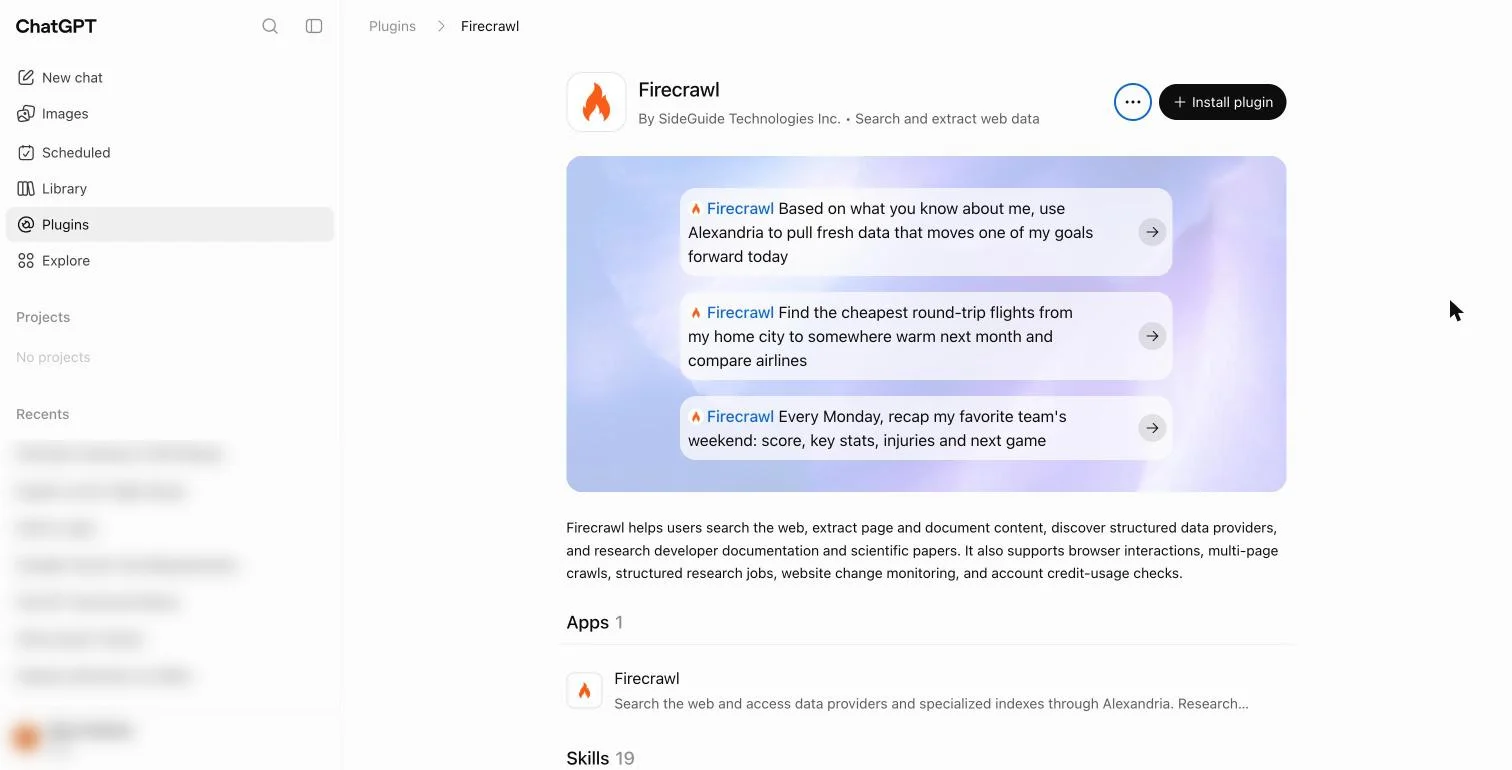
Connect your Firecrawl account
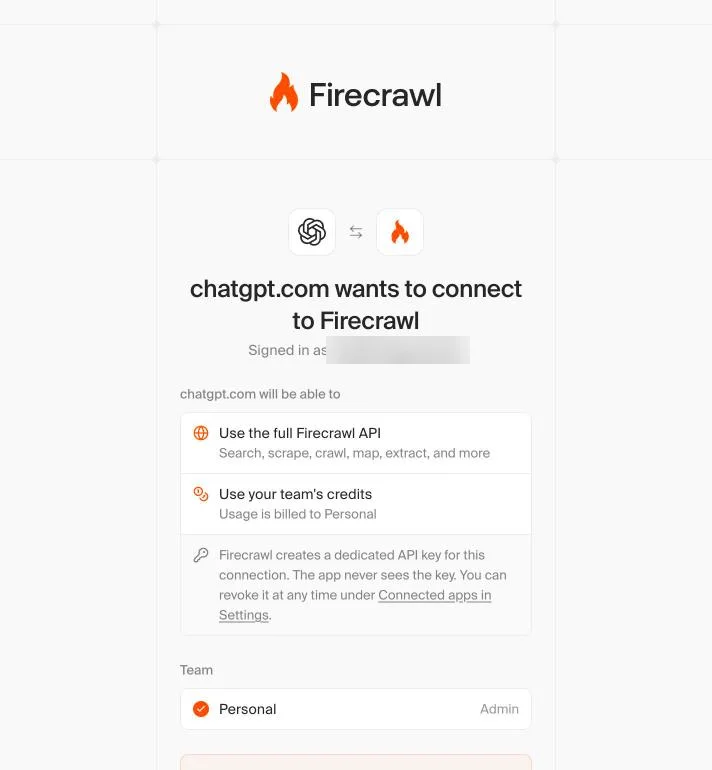
ChatGPT opens Firecrawl in your browser. Sign in, choose a team with Alexandria enabled, and approve access. No account yet? You can create one for free in the same flow.
Attach Firecrawl to a chat
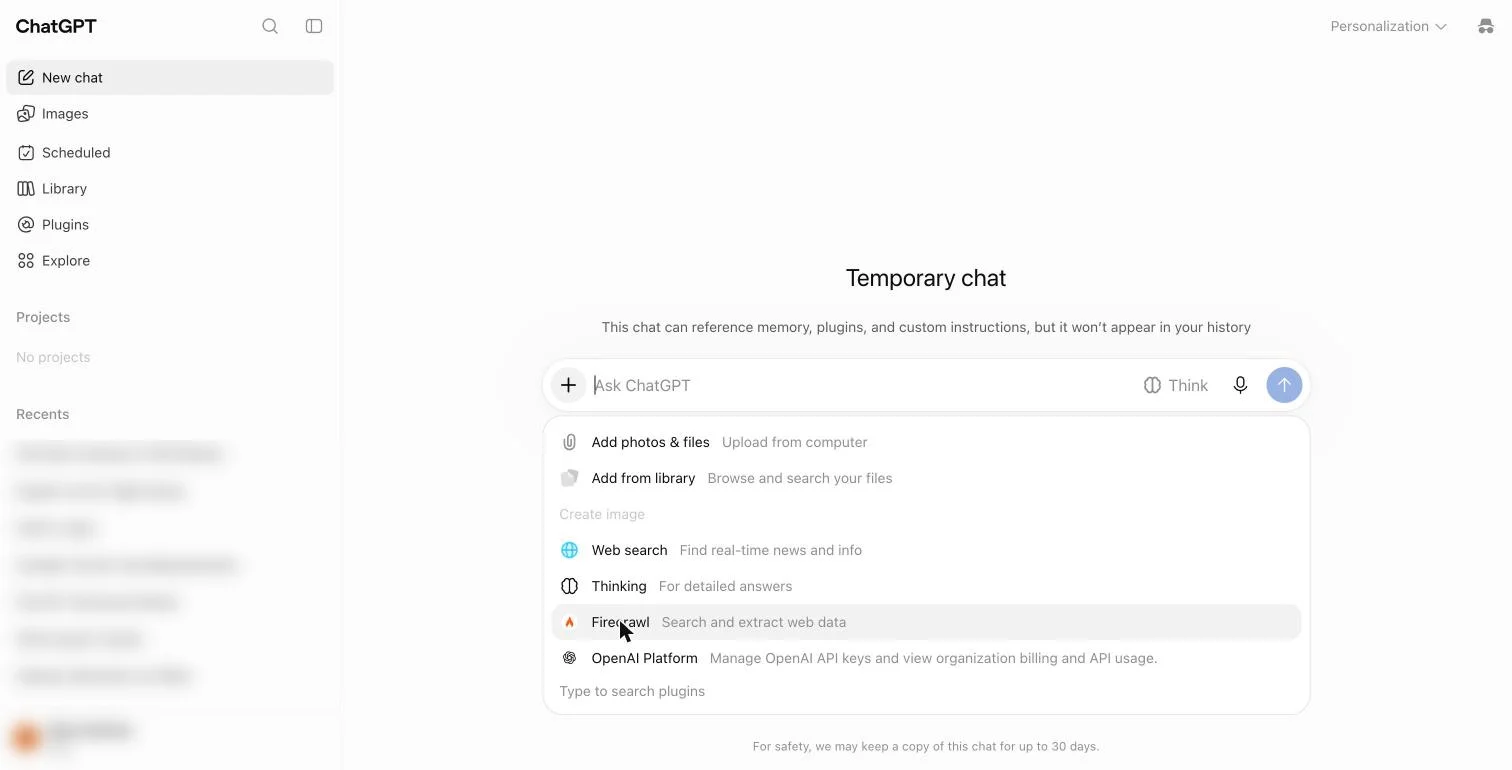
Start a new chat so it loads the plugin, open the + menu and choose Firecrawl. You can also ask ChatGPT to use Firecrawl by name.
Ask ChatGPT for the data
Ask in plain language and mention Maps or Firecrawl Alexandria. ChatGPT finds the Maps capability that fits and runs it. For example:
Use Firecrawl to find dentists in Austin, Texas, with their addresses, phone numbers, ratings and review counts.
What can ChatGPT do with Maps?
Business search, public reviews, monthly rating trends and directions for driving, walking, cycling and transit.
ChatGPT can run any of Maps's 4 capabilities through Alexandria. Each call is billed in Firecrawl credits on your Firecrawl team.
- Directions: Routes between two addresses, place names, or coordinate pairs. Modes: driving (default), walking, bicycling, transit. Returns route alternatives with distances, estimated durations and ordered instructions. Transit includes walking connections, line and stop details, transfers, service alerts, scheduled times and estimates when supplied. country (default us) sets the country names are resolved in and language the output language. Uses the current departure time unless departure_time or arrival_time (driving and transit only, mutually exclusive) selects another; driving routes add the traffic-aware duration and typical range for that time. No intermediate waypoints, fares, or live navigation. Availability depends on coverage. An explicit no-route response returns routes: []. An origin or destination cannot place or choose between fails with invalid_input (location_not_found or ambiguous_location), naming up to five candidates. A resolved place that contradicts the input also fails with ambiguous_location instead of returning a route from it: a postal code replaced by another, or a street address resolved outside the locality it names (192 Grand Street, New York NY resolving to Brooklyn). A named place that resolves to a place whose name shares no word with it (a station or town resolved to a different one) still returns routes, with an endpoint_name_mismatch warning. Costs 5 Firecrawl credits per call.
- Rating trend: Monthly rating trend for one business from its newest 60 reviews (one request): per calendar month the review count, average rating and owner responses, plus the same summary as reviews. Months are UTC; the sample never goes beyond 60 reviews. Costs 5 Firecrawl credits per call.
- Reviews: Public reviews (e.g. restaurant reviews) for one business identified by its Maps feature_id (0x..:0x.., from search or a Maps URL). One request returns 1 to 60 reviews in the chosen order with rating, timestamp, text, images and the owner's response, plus a summary with the owner response rate over the returned sample. Pass next_cursor as cursor, with the same feature_id and sort, to read older reviews page by page until has_more is false. language sets the language reviews are translated into (default en). Costs 10 Firecrawl credits per call.
- Search: Find businesses such as restaurants, cafes, hotels and shops on Maps by free-text query (name and/or 'category in city'). Returns 20 places per page with feature_id (input for reviews/rating_trend), place_id, categories, address, coordinates, aggregate rating, review count, phone, website, operating status (business_status: operational, temporarily_closed or permanently_closed) and the coming week's opening hours. Pass next_cursor as cursor to fetch the next 20 places until has_more is false; a page can repeat a place that appeared on an earlier page, so de-duplicate by feature_id. language sets 's hl (default en). country sets 's gl (default us) and, when passed, is a hard filter: places located in another country are dropped. locality is an optional hard filter on the address (city, district, neighbourhood, region or postal code). latitude and longitude centre the search viewport; with radius_km, places farther than that great-circle distance from the point are also dropped. dropped_outside_area counts the places these filters removed from the page, so a page can hold fewer than 20 places while has_more is true; keep paging with next_cursor. include_opening_hours false returns opening_hours as null to keep responses small. When 's first page has no place in the requested area the call fails with not_found (issue outside_requested_area) instead of returning places from elsewhere; places dropped from a page are listed in a results_outside_requested_area warning. Places whose name matches a venue the query names move to the top of the page (name_match). sort (review_count or rating) and min_reviews reorder each returned page, not results across pages. Costs 10 Firecrawl credits per call.
What should I ask ChatGPT?
Name Maps or Firecrawl Alexandria in the prompt so ChatGPT reaches for it. Each example opens in ChatGPT with the prompt filled in.
- Use Firecrawl to find dentists in Austin, Texas, with their addresses, phone numbers, ratings and review counts.
- Use Firecrawl to find Tony's Pizza Napoletana in San Francisco and summarize its 20 newest reviews, including owner responses.
- Use Firecrawl to show the monthly rating trend for Tony's Pizza Napoletana in San Francisco from its newest 60 reviews.
- Use Firecrawl to show transit routes from Union Station, Toronto, to the Royal Ontario Museum, Toronto, for departure now, with estimated durations and transfer instructions.
Troubleshooting
Why doesn't ChatGPT use Maps?
Start a new chat after installing so ChatGPT loads the plugin, then attach Firecrawl from the + menu and name Maps or Firecrawl Alexandria in the prompt.
How do I switch the Firecrawl team ChatGPT uses?
Open the Firecrawl plugin page in ChatGPT, uninstall it from the menu next to Settings, then install it again and choose the other team on Firecrawl's consent screen.
Why does ChatGPT say Maps isn't available?
Alexandria needs a Firecrawl team with Alexandria enabled. Reinstall the plugin and pick that team when you approve access.
Use Maps in other AI apps
The same Firecrawl account reaches Maps from other AI apps. Pick one for its setup steps:

Other data providers you can connect to ChatGPT
Frequently Asked Questions
What is Firecrawl?
Firecrawl is the web data API to search, scrape and interact with the web at scale. It turns websites into clean, LLM-ready data for AI agents and apps. The Firecrawl plugin brings those tools into ChatGPT, along with every data provider in Firecrawl Alexandria.
What is Firecrawl Alexandria?
Firecrawl Alexandria is Firecrawl's library of 550+ data providers for AI agents, Maps among them. Each provider returns structured data through documented capabilities. ChatGPT finds the capability that fits your question and calls it through the Firecrawl plugin, so you don't write any integration code. Alexandria needs a Firecrawl account signed in on a team with Alexandria enabled, or an API key from such a team; keyless connections don't include it.
Is there a Maps MCP server for ChatGPT?
ChatGPT reaches Maps through Firecrawl's hosted MCP server, which serves Maps and every other Alexandria provider as tools. Add the Firecrawl plugin once and you don't install or host a separate MCP server for Maps.
What does connecting Maps to ChatGPT unlock?
ChatGPT can run all 4 of Maps's capabilities, including Directions, Rating trend and Reviews, from any chat, with structured results it can sort, compare and summarize. For example, ask: "Use Firecrawl to find dentists in Austin, Texas, with their addresses, phone numbers, ratings and review counts." In the same conversation, ChatGPT can combine Maps with Firecrawl's web search and scraping and the other providers in Firecrawl Alexandria.
Do I need my own Maps account or API key to use it in ChatGPT?
No. ChatGPT calls Maps through Firecrawl Alexandria and each call is billed in Firecrawl credits, so you don't need a separate Maps account or API key.
How much does it cost to use Maps in ChatGPT?
Maps calls cost from 5 to 10 Firecrawl credits, depending on the capability. The capability list on this page shows each price and its unit. The credits come from the Firecrawl team you connect to ChatGPT, and finding the right capability is free.
Can ChatGPT use other providers besides Maps?
Yes. The same Firecrawl plugin reaches every provider in Firecrawl Alexandria, along with Firecrawl's web search and scraping, so you connect once.
Can I use Maps in other AI apps?
Yes. Connect Firecrawl to Claude, Cursor, Grok Bot, Muse signed in on a Firecrawl team with Alexandria enabled, or use the Firecrawl MCP server, CLI or API with an API key from that team, and the same Maps capabilities are available there. Keyless connections don't include Alexandria.