How to connect ChatGPT and Codex docs to ChatGPT
Add the Firecrawl plugin to ChatGPT once and it can call the ChatGPT and Codex docs API and every other provider in Firecrawl Alexandria, with no ChatGPT and Codex docs integration code.
To connect ChatGPT and Codex docs to ChatGPT, add the Firecrawl plugin to ChatGPT, sign in on a Firecrawl team with Alexandria enabled, and ask for ChatGPT and Codex docs data in plain language. The connection works in ChatGPT and Codex, and you set it up once.
ChatGPT uses ChatGPT and Codex docs as an MCP tool through Firecrawl's hosted MCP server, so you don't install or host a separate MCP server for ChatGPT and Codex docs.
ChatGPT is OpenAI's AI assistant. Plugins add tools from other services, and the Firecrawl plugin adds web search, scraping and every data provider in Firecrawl Alexandria.
How do I connect ChatGPT and Codex docs to ChatGPT?
Install the Firecrawl plugin
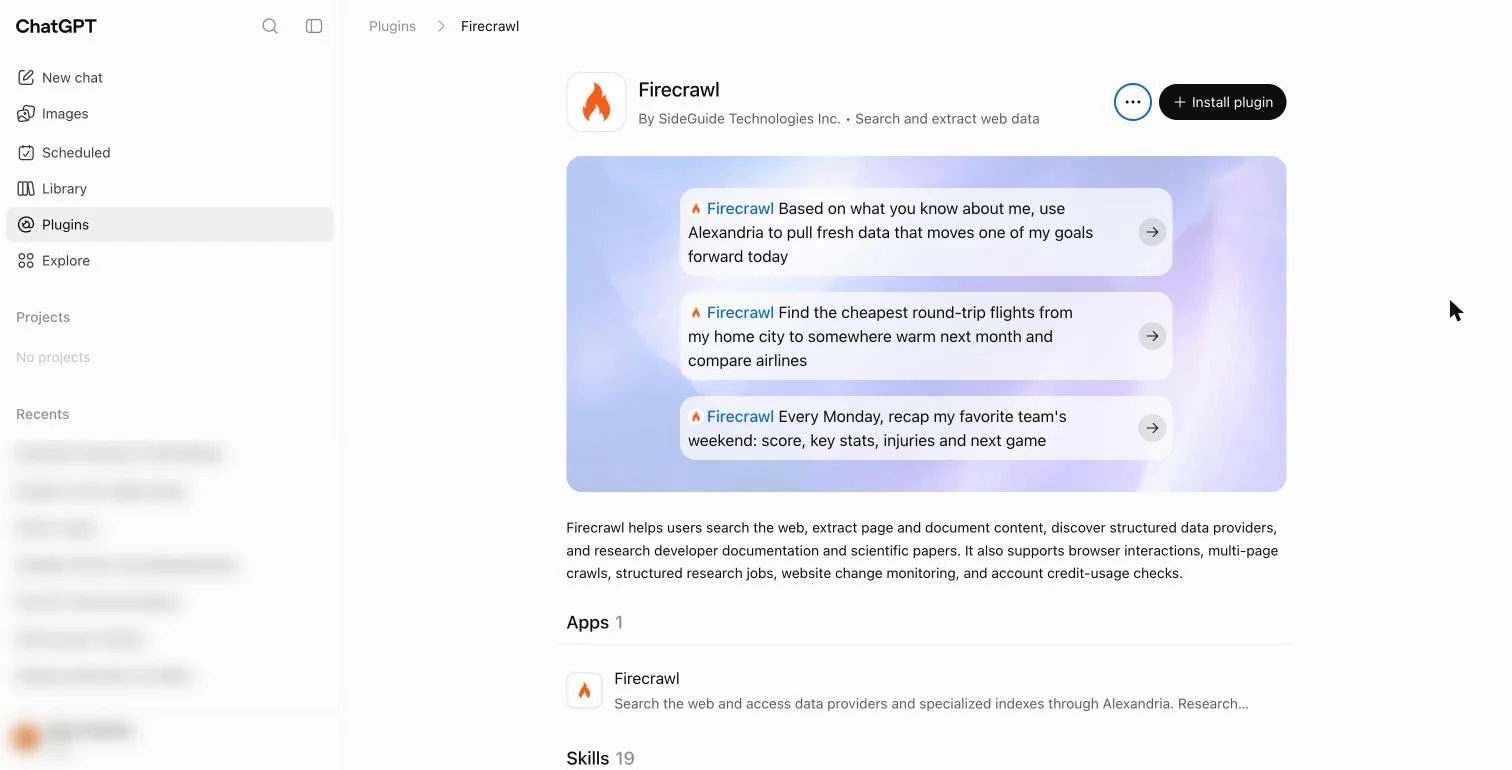
Open the Firecrawl listing in ChatGPT's plugin directory and select Install plugin. You can also open Plugins in ChatGPT or Codex and search for Firecrawl.
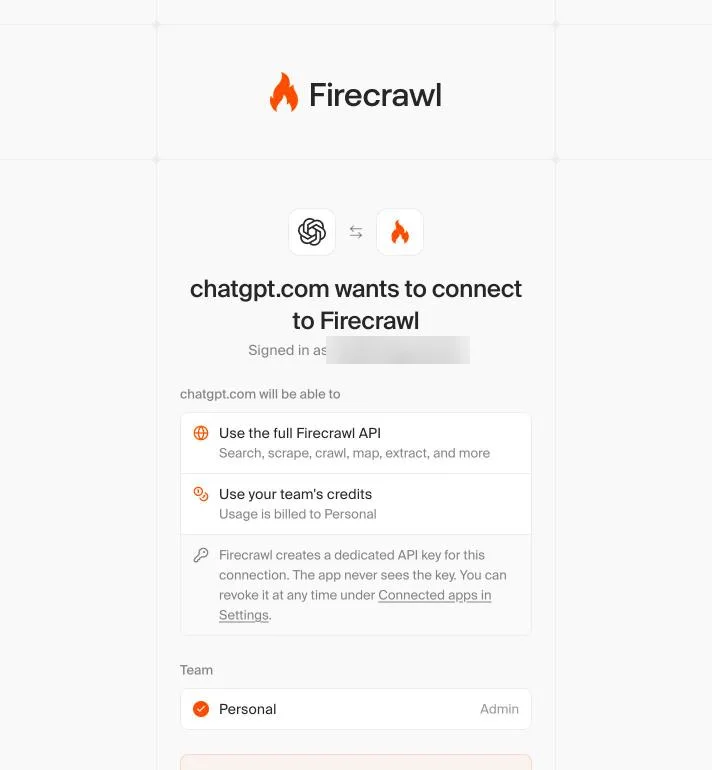
Connect your Firecrawl account
ChatGPT opens Firecrawl in your browser. Sign in, choose a team with Alexandria enabled, and approve access. No account yet? You can create one for free in the same flow.
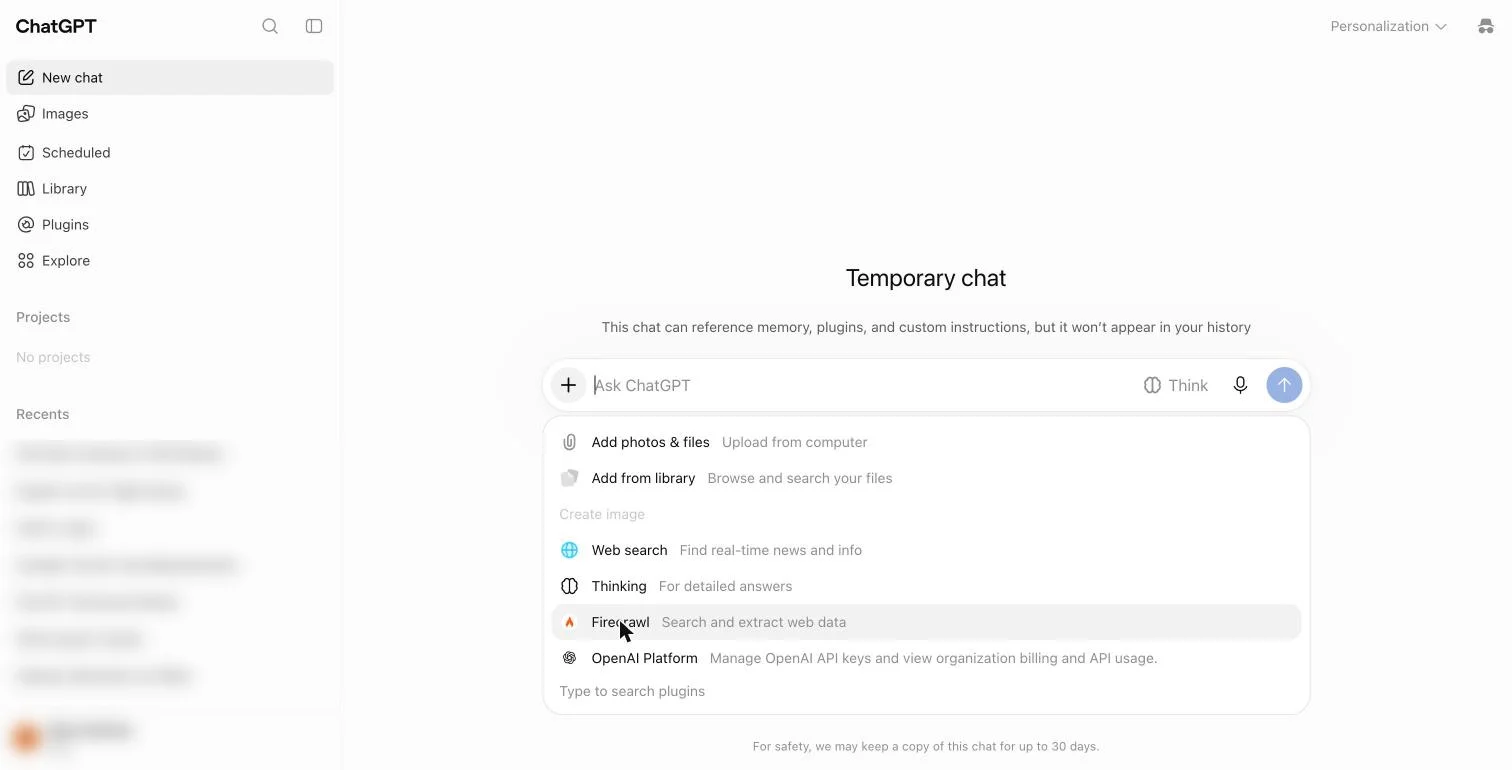
Attach Firecrawl to a chat
Start a new chat so it loads the plugin, open the + menu and choose Firecrawl. You can also ask ChatGPT to use Firecrawl by name.
Ask ChatGPT for the data
Ask in plain language and mention ChatGPT and Codex docs or Firecrawl Alexandria. ChatGPT finds the ChatGPT and Codex docs capability that fits and runs it. For example:
Use Firecrawl to run ChatGPT and Codex docs' Get page capability. Inspect the Alexandria inputs, ask for any missing required details, and return a small sample with sources.
What can ChatGPT do with ChatGPT and Codex docs?
Official ChatGPT and Codex documentation from learn.chatgpt.com (where developers.openai.com/codex now redirects): OpenAI's own docs search restricted to the site, any page as clean Markdown with a heading outline and section reads, the llms.txt page index, and the dated ChatGPT and Codex changelog. Public machine-readable sources only; no login.
ChatGPT can run any of ChatGPT and Codex docs's 4 capabilities through Alexandria. Each call is billed in Firecrawl credits on your Firecrawl team.
- Get page: One learn.chatgpt.com page as clean Markdown from its .md twin (GET /docs/{slug}.md), with title, description (from llms.txt), url, markdown_url, the full heading outline (level, text, anchor) and the content. An optional section returns only that heading's subtree; max_chars truncates. The site's boilerplate index note is removed. Unknown pages and sections are not_found. Costs 5 Firecrawl credits per call.
- List changelog: Dated ChatGPT and Codex release notes from the official changelog RSS feed (GET /docs/changelog/rss.xml, the source of learn.chatgpt.com/docs/changelog): app, CLI, iOS, model and admin updates, newest first, each with id, date, title, summary, the entry Markdown and a citable source URL. Filter by since/until date and words; offset-paginated. Costs 5 Firecrawl credits per call.
- List pages: The learn.chatgpt.com page index from llms.txt (GET /docs/llms.txt): every listed ChatGPT and Codex page with group, title, slug, url, markdown_url and description, filterable by words (q) and group, offset-paginated. Also returns all group names. An unknown group is not_found. Costs 5 Firecrawl credits per call.
- Search docs: Official OpenAI docs search restricted to learn.chatgpt.com (ChatGPT and Codex guides, references, the changelog and What's new). Calls search_openai_docs on OpenAI's public docs MCP server (developers.openai.com/mcp), which ranks pages and sections across all OpenAI docs sites, and keeps only learn.chatgpt.com hits in the vendor's order. Each result has the page title, the matched heading path, the section anchor, a snippet of up to 400 characters and the page slug to pass to get_page. The vendor ranks passages by the query words they contain and, when no record contains them all, drops words and ranks partial matches instead of answering empty, so each result says how much of q it matched (match: full, partial or none, with matched_words); a page without a single full match carries a words_dropped warning and means the docs do not cover the combined topic. Search one topic per call; a multi-word query exhausted below a page of hits carries an all_words_required warning. Costs 5 Firecrawl credits per call.
What should I ask ChatGPT?
Name ChatGPT and Codex docs or Firecrawl Alexandria in the prompt so ChatGPT reaches for it. Each example opens in ChatGPT with the prompt filled in.
- Use Firecrawl to run ChatGPT and Codex docs' Get page capability. Inspect the Alexandria inputs, ask for any missing required details, and return a small sample with sources.
- Use Firecrawl to run ChatGPT and Codex docs' List changelog capability. Inspect the Alexandria inputs, ask for any missing required details, and return a small sample with sources.
- Use Firecrawl to run ChatGPT and Codex docs' List pages capability. Inspect the Alexandria inputs, ask for any missing required details, and return a small sample with sources.
- Use Firecrawl to run ChatGPT and Codex docs' Search docs capability. Inspect the Alexandria inputs, ask for any missing required details, and return a small sample with sources.
Troubleshooting
Why doesn't ChatGPT use ChatGPT and Codex docs?
Start a new chat after installing so ChatGPT loads the plugin, then attach Firecrawl from the + menu and name ChatGPT and Codex docs or Firecrawl Alexandria in the prompt.
How do I switch the Firecrawl team ChatGPT uses?
Open the Firecrawl plugin page in ChatGPT, uninstall it from the menu next to Settings, then install it again and choose the other team on Firecrawl's consent screen.
Why does ChatGPT say ChatGPT and Codex docs isn't available?
Alexandria needs a Firecrawl team with Alexandria enabled. Reinstall the plugin and pick that team when you approve access.
Use ChatGPT and Codex docs in other AI apps
The same Firecrawl account reaches ChatGPT and Codex docs from other AI apps. Pick one for its setup steps:
- ChatGPT and Codex docs in Claude
- ChatGPT and Codex docs in Cursor
- ChatGPT and Codex docs in Grok Bot
 ChatGPT and Codex docs in Muse
Other data providers you can connect to ChatGPT
Frequently Asked Questions
What is Firecrawl?
Firecrawl is the web data API to search, scrape and interact with the web at scale. It turns websites into clean, LLM-ready data for AI agents and apps. The Firecrawl plugin brings those tools into ChatGPT, along with every data provider in Firecrawl Alexandria.
What is Firecrawl Alexandria?
Firecrawl Alexandria is Firecrawl's library of 550+ data providers for AI agents, ChatGPT and Codex docs among them. Each provider returns structured data through documented capabilities. ChatGPT finds the capability that fits your question and calls it through the Firecrawl plugin, so you don't write any integration code. Alexandria needs a Firecrawl account signed in on a team with Alexandria enabled, or an API key from such a team; keyless connections don't include it.
Is there a ChatGPT and Codex docs MCP server for ChatGPT?
ChatGPT reaches ChatGPT and Codex docs through Firecrawl's hosted MCP server, which serves ChatGPT and Codex docs and every other Alexandria provider as tools. Add the Firecrawl plugin once and you don't install or host a separate MCP server for ChatGPT and Codex docs.
What does connecting ChatGPT and Codex docs to ChatGPT unlock?
ChatGPT can run all 4 of ChatGPT and Codex docs's capabilities, including Get page, List changelog and List pages, from any chat, with structured results it can sort, compare and summarize. In the same conversation, ChatGPT can combine ChatGPT and Codex docs with Firecrawl's web search and scraping and the other providers in Firecrawl Alexandria.
Do I need my own ChatGPT and Codex docs account or API key to use it in ChatGPT?
No. ChatGPT calls ChatGPT and Codex docs through Firecrawl Alexandria and each call is billed in Firecrawl credits, so you don't need a separate ChatGPT and Codex docs account or API key.
How much does it cost to use ChatGPT and Codex docs in ChatGPT?
Each ChatGPT and Codex docs call costs 5 Firecrawl credits. The capability list on this page shows each price and its unit. The credits come from the Firecrawl team you connect to ChatGPT, and finding the right capability is free.
Can ChatGPT use other providers besides ChatGPT and Codex docs?
Yes. The same Firecrawl plugin reaches every provider in Firecrawl Alexandria, along with Firecrawl's web search and scraping, so you connect once.
Can I use ChatGPT and Codex docs in other AI apps?
Yes. Connect Firecrawl to Claude, Cursor, Grok Bot, Muse signed in on a Firecrawl team with Alexandria enabled, or use the Firecrawl MCP server, CLI or API with an API key from that team, and the same ChatGPT and Codex docs capabilities are available there. Keyless connections don't include Alexandria.