How to connect Google Play apps, Books and Movies & TV to ChatGPT
Add the Firecrawl plugin to ChatGPT once and it can call the Google Play apps, Books and Movies & TV API and every other provider in Firecrawl Alexandria, with no Google Play apps, Books and Movies & TV integration code.
To connect Google Play apps, Books and Movies & TV to ChatGPT, add the Firecrawl plugin to ChatGPT, sign in on a Firecrawl team with Alexandria enabled, and ask for Google Play apps, Books and Movies & TV data in plain language. The connection works in ChatGPT and Codex, and you set it up once.
ChatGPT uses Google Play apps, Books and Movies & TV as an MCP tool through Firecrawl's hosted MCP server, so you don't install or host a separate MCP server for Google Play apps, Books and Movies & TV.
ChatGPT is OpenAI's AI assistant. Plugins add tools from other services, and the Firecrawl plugin adds web search, scraping and every data provider in Firecrawl Alexandria.
How do I connect Google Play apps, Books and Movies & TV to ChatGPT?
Install the Firecrawl plugin
Open the Firecrawl listing in ChatGPT's plugin directory and select Install plugin. You can also open Plugins in ChatGPT or Codex and search for Firecrawl.
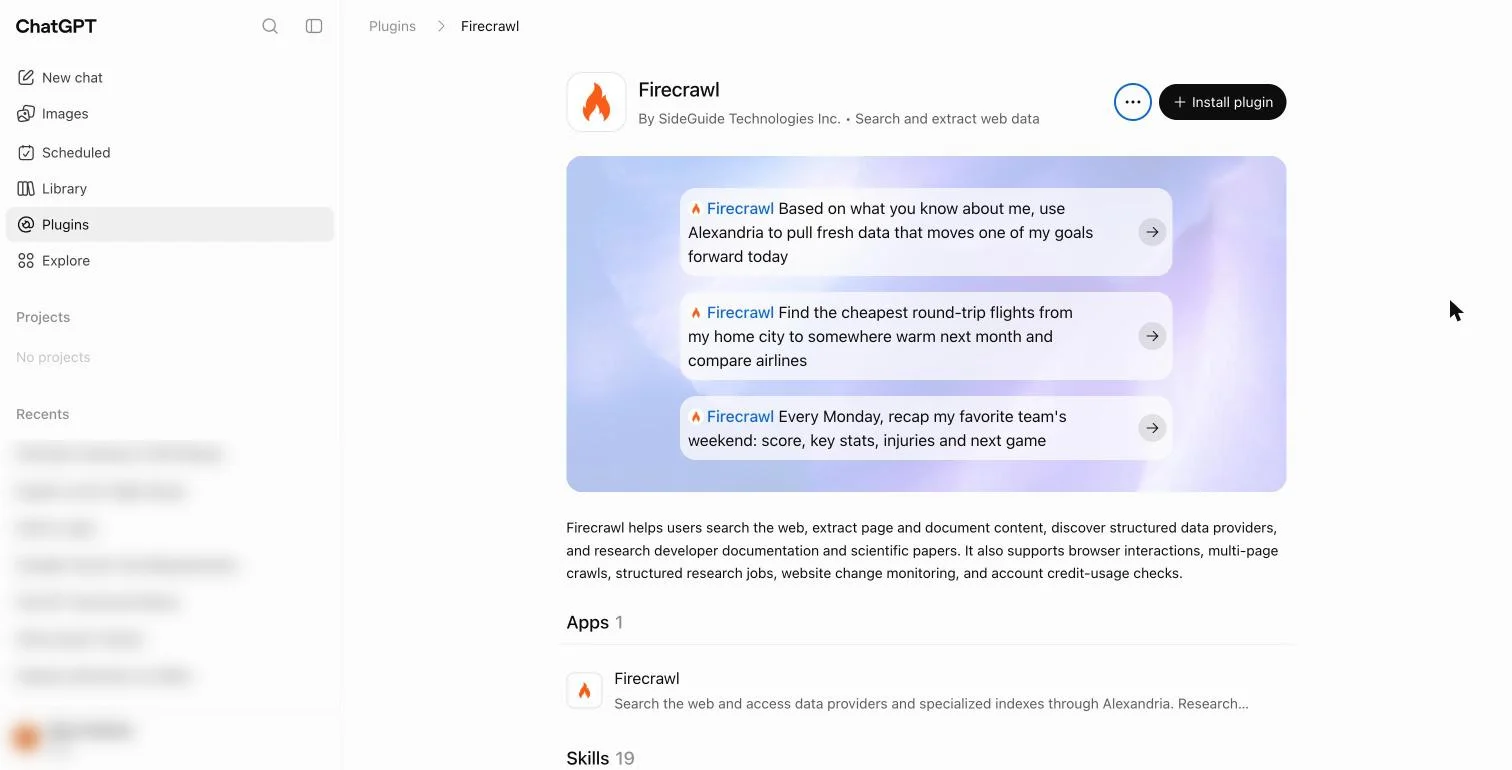
Connect your Firecrawl account
ChatGPT opens Firecrawl in your browser. Sign in, choose a team with Alexandria enabled, and approve access. No account yet? You can create one for free in the same flow.
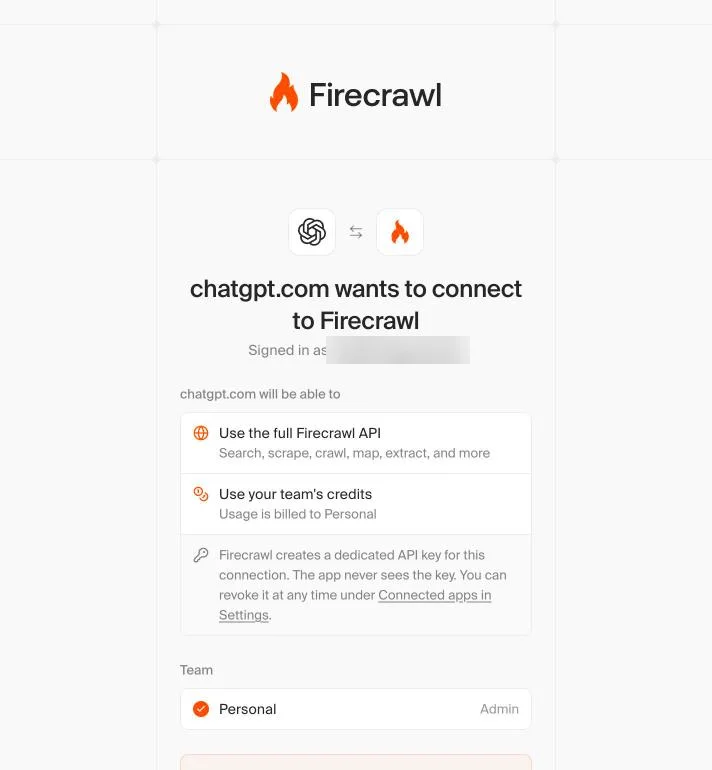
Attach Firecrawl to a chat
Start a new chat so it loads the plugin, open the + menu and choose Firecrawl. You can also ask ChatGPT to use Firecrawl by name.
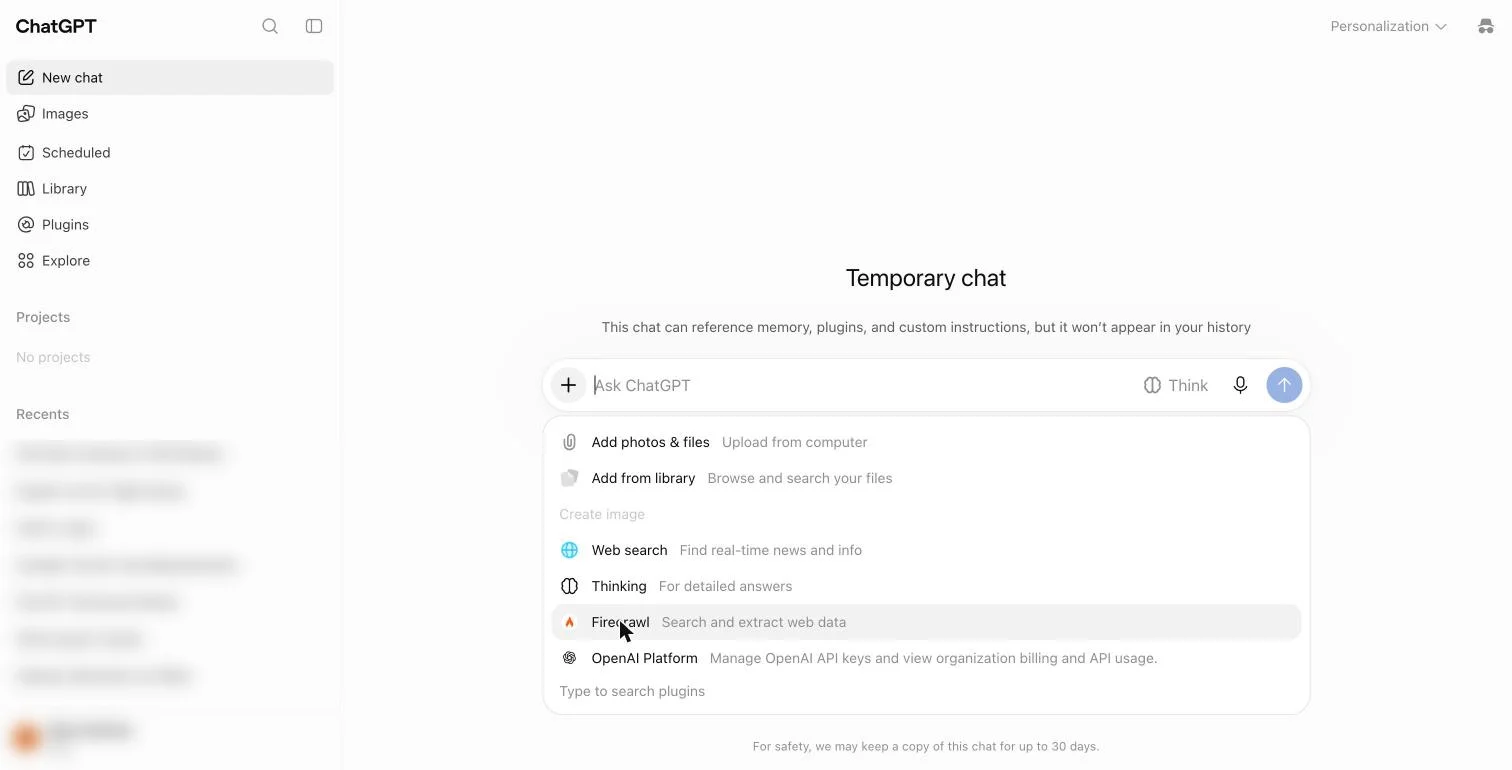
Ask ChatGPT for the data
Ask in plain language and mention Google Play apps, Books and Movies & TV or Firecrawl Alexandria. ChatGPT finds the Google Play apps, Books and Movies & TV capability that fits and runs it. For example:
Use Firecrawl to find Dune ebooks and audiobooks in the US Google Play store and show their ratings and offers.
What can ChatGPT do with Google Play apps, Books and Movies & TV?
Google Play: Android app detail, app search, developer app lists, search suggestions and paginated, filterable app user reviews (review id, stars, text, date, app version, developer reply); Google Play Books and Movies & TV search, ebook / audiobook / movie / TV show detail with rating histograms, offers and metadata, every season of a show with the episodes of any season by season id, book series and author pages, paginated user reviews, and the Google Books volume record by ISBN for joins. Logged-out store pages and the store's batchexecute RPC.
ChatGPT can run any of Google Play apps, Books and Movies & TV's 14 capabilities through Alexandria. Each call is billed in Firecrawl credits on your Firecrawl team.
- App: One Android app on Google Play: title, summary, description, developer (name, id, page, website, support email), icon, header image, screenshots, categories, content rating, install counts, price and in-app purchase range, release and last-update dates, version, what's new, privacy policy link, aggregate rating with histogram and review count, chart badge, and the `Similar apps` cluster the page embeds. Written reviews come from `app_reviews`. Costs 5 Firecrawl credits per call.
- App reviews: One page of public user reviews of an Android app on Google Play: native review UUID, deep link, stars, text, timestamp, reviewer name, helpful count, the app version reviewed and the developer reply when there is one. Sorted by most relevant (default), newest or rating; optional star filter (`score`) and device filter (`device`: phone by default as in the store's dialog, tablet, or all). Returns an opaque `continuation` for the next page. The store does not distinguish an unknown package from a package whose reviews do not match the filter: an empty first page is reported as not_found; confirm the package with `app`. Costs 5 Firecrawl credits per call.
- App search: Search Google Play for Android apps (`/store/search?c=apps`): the page's inline result list (typically 20 to 30 app cards with package, title, developer, rating, genre, installs, content rating and price) plus the highlighted top-result card when the store shows one. A query with no matching apps is an empty result. Cards that are not app results (the about-these-results note, spelling notices, related searches) are read or ignored; a card in an unrecognised layout is skipped with a `skipped_cards` warning, and the call fails only when no card parses. Further pages are not loaded. Costs 5 Firecrawl credits per call.
- App suggest: Google Play's search-as-you-type suggestions for the apps vertical (the `teXCtc` RPC): up to 10 query completions with their search URLs. A prefix with no completions is an empty result. Costs 5 Firecrawl credits per call.
- Audiobook: One Google Play audiobook: title, authors, narrators, description, publisher, publication date, duration, language, ISBNs, genres, offers, rating average / count / histogram, review count, series membership, the ebook edition id, and the related clusters the page shows. Written reviews come from `reviews` with item_type `audiobook`. Costs 5 Firecrawl credits per call.
- Author: One Google Play author page: name, biography and the author's works (ebooks, audiobooks) with ratings and prices, as the page clusters them. Costs 5 Firecrawl credits per call.
- Book: One Google Play ebook: title, authors, description, publisher, publication date, page count, language, ISBNs, genres, offers, rating average / count / histogram, review count, series membership, and the related clusters the page shows (continue the series, more by the author, similar ebooks). Written reviews come from `reviews` with item_type `ebook`. Costs 5 Firecrawl credits per call.
- Developer apps: The Android apps Google Play lists for a developer (`/store/apps/developer?id=<name>`): app cards with package, title, rating, genre, installs, content rating and price. `developer` is the display name exactly as the store's developer link spells it (`WhatsApp LLC`, `Meta Platforms, Inc.`), as returned by `app.developer_name`. A name the store knows no apps for is not_found. Only the page's inline list is returned (the first page the store renders). Costs 5 Firecrawl credits per call.
- Google books volume: The Google Books bibliographic record for an ISBN: Google Books volume id (identical to the Play Books volume id, so the result joins to `book`), title, subtitle, authors, publisher and year, edition, all ISBNs, page count, subjects and the description. Read from the books.google.com `About this book` page; the Books API is not used (its anonymous quota is shared and exhausted). Costs 5 Firecrawl credits per call.
- Movie: One Google Play movie: title, synopsis, genres, cast, directors, producers, writers, runtime, release year, content rating, offers (rent / buy with quality), rating average / count / histogram, review count, Rotten Tomatoes score and the metadata table (audio languages, subtitles, rental period). Costs 5 Firecrawl credits per call.
See all 14 capabilities and their inputs on the Google Play apps, Books and Movies & TV API page.
What should I ask ChatGPT?
Name Google Play apps, Books and Movies & TV or Firecrawl Alexandria in the prompt so ChatGPT reaches for it. Each example opens in ChatGPT with the prompt filled in.
- Use Firecrawl to find Dune ebooks and audiobooks in the US Google Play store and show their ratings and offers.
- Use Firecrawl to find the Dune audiobook on Google Play and show its narrators, duration and US purchase offers.
- Use Firecrawl to find Dune: Prophecy on Google Play in the US and show its available seasons and the first season’s episodes and offers.
- Use Firecrawl to look up ISBN 9781101658055 in Google Books and show its title, authors, publisher, page count and Google Play volume ID.
Troubleshooting
Why doesn't ChatGPT use Google Play apps, Books and Movies & TV?
Start a new chat after installing so ChatGPT loads the plugin, then attach Firecrawl from the + menu and name Google Play apps, Books and Movies & TV or Firecrawl Alexandria in the prompt.
How do I switch the Firecrawl team ChatGPT uses?
Open the Firecrawl plugin page in ChatGPT, uninstall it from the menu next to Settings, then install it again and choose the other team on Firecrawl's consent screen.
Why does ChatGPT say Google Play apps, Books and Movies & TV isn't available?
Alexandria needs a Firecrawl team with Alexandria enabled. Reinstall the plugin and pick that team when you approve access.
Use Google Play apps, Books and Movies & TV in other AI apps
The same Firecrawl account reaches Google Play apps, Books and Movies & TV from other AI apps. Pick one for its setup steps:
- Google Play apps, Books and Movies & TV in Claude
- Google Play apps, Books and Movies & TV in Cursor
- Google Play apps, Books and Movies & TV in Grok Bot
 Google Play apps, Books and Movies & TV in Muse
Other data providers you can connect to ChatGPT
Frequently Asked Questions
What is Firecrawl?
Firecrawl is the web data API to search, scrape and interact with the web at scale. It turns websites into clean, LLM-ready data for AI agents and apps. The Firecrawl plugin brings those tools into ChatGPT, along with every data provider in Firecrawl Alexandria.
What is Firecrawl Alexandria?
Firecrawl Alexandria is Firecrawl's library of 550+ data providers for AI agents, Google Play apps, Books and Movies & TV among them. Each provider returns structured data through documented capabilities. ChatGPT finds the capability that fits your question and calls it through the Firecrawl plugin, so you don't write any integration code. Alexandria needs a Firecrawl account signed in on a team with Alexandria enabled, or an API key from such a team; keyless connections don't include it.
Is there a Google Play apps, Books and Movies & TV MCP server for ChatGPT?
ChatGPT reaches Google Play apps, Books and Movies & TV through Firecrawl's hosted MCP server, which serves Google Play apps, Books and Movies & TV and every other Alexandria provider as tools. Add the Firecrawl plugin once and you don't install or host a separate MCP server for Google Play apps, Books and Movies & TV.
What does connecting Google Play apps, Books and Movies & TV to ChatGPT unlock?
ChatGPT can run all 14 of Google Play apps, Books and Movies & TV's capabilities, including App, App reviews and App search, from any chat, with structured results it can sort, compare and summarize. For example, ask: "Use Firecrawl to find Dune ebooks and audiobooks in the US Google Play store and show their ratings and offers." In the same conversation, ChatGPT can combine Google Play apps, Books and Movies & TV with Firecrawl's web search and scraping and the other providers in Firecrawl Alexandria.
Do I need my own Google Play apps, Books and Movies & TV account or API key to use it in ChatGPT?
No. ChatGPT calls Google Play apps, Books and Movies & TV through Firecrawl Alexandria and each call is billed in Firecrawl credits, so you don't need a separate Google Play apps, Books and Movies & TV account or API key.
How much does it cost to use Google Play apps, Books and Movies & TV in ChatGPT?
Each Google Play apps, Books and Movies & TV call costs 5 Firecrawl credits. The capability list on this page shows each price and its unit. The credits come from the Firecrawl team you connect to ChatGPT, and finding the right capability is free.
Can ChatGPT use other providers besides Google Play apps, Books and Movies & TV?
Yes. The same Firecrawl plugin reaches every provider in Firecrawl Alexandria, along with Firecrawl's web search and scraping, so you connect once.
Can I use Google Play apps, Books and Movies & TV in other AI apps?
Yes. Connect Firecrawl to Claude, Cursor, Grok Bot, Muse signed in on a Firecrawl team with Alexandria enabled, or use the Firecrawl MCP server, CLI or API with an API key from that team, and the same Google Play apps, Books and Movies & TV capabilities are available there. Keyless connections don't include Alexandria.