How to connect WRCC RAWS USA Climate Archive to ChatGPT
Add the Firecrawl plugin to ChatGPT once and it can call the WRCC RAWS USA Climate Archive API and every other provider in Firecrawl Alexandria, with no WRCC RAWS USA Climate Archive integration code.
To connect WRCC RAWS USA Climate Archive to ChatGPT, add the Firecrawl plugin to ChatGPT, sign in on a Firecrawl team with Alexandria enabled, and ask for WRCC RAWS USA Climate Archive data in plain language. The connection works in ChatGPT and Codex, and you set it up once.
ChatGPT uses WRCC RAWS USA Climate Archive as an MCP tool through Firecrawl's hosted MCP server, so you don't install or host a separate MCP server for WRCC RAWS USA Climate Archive.
ChatGPT is OpenAI's AI assistant. Plugins add tools from other services, and the Firecrawl plugin adds web search, scraping and every data provider in Firecrawl Alexandria.
How do I connect WRCC RAWS USA Climate Archive to ChatGPT?
Install the Firecrawl plugin
Open the Firecrawl listing in ChatGPT's plugin directory and select Install plugin. You can also open Plugins in ChatGPT or Codex and search for Firecrawl.
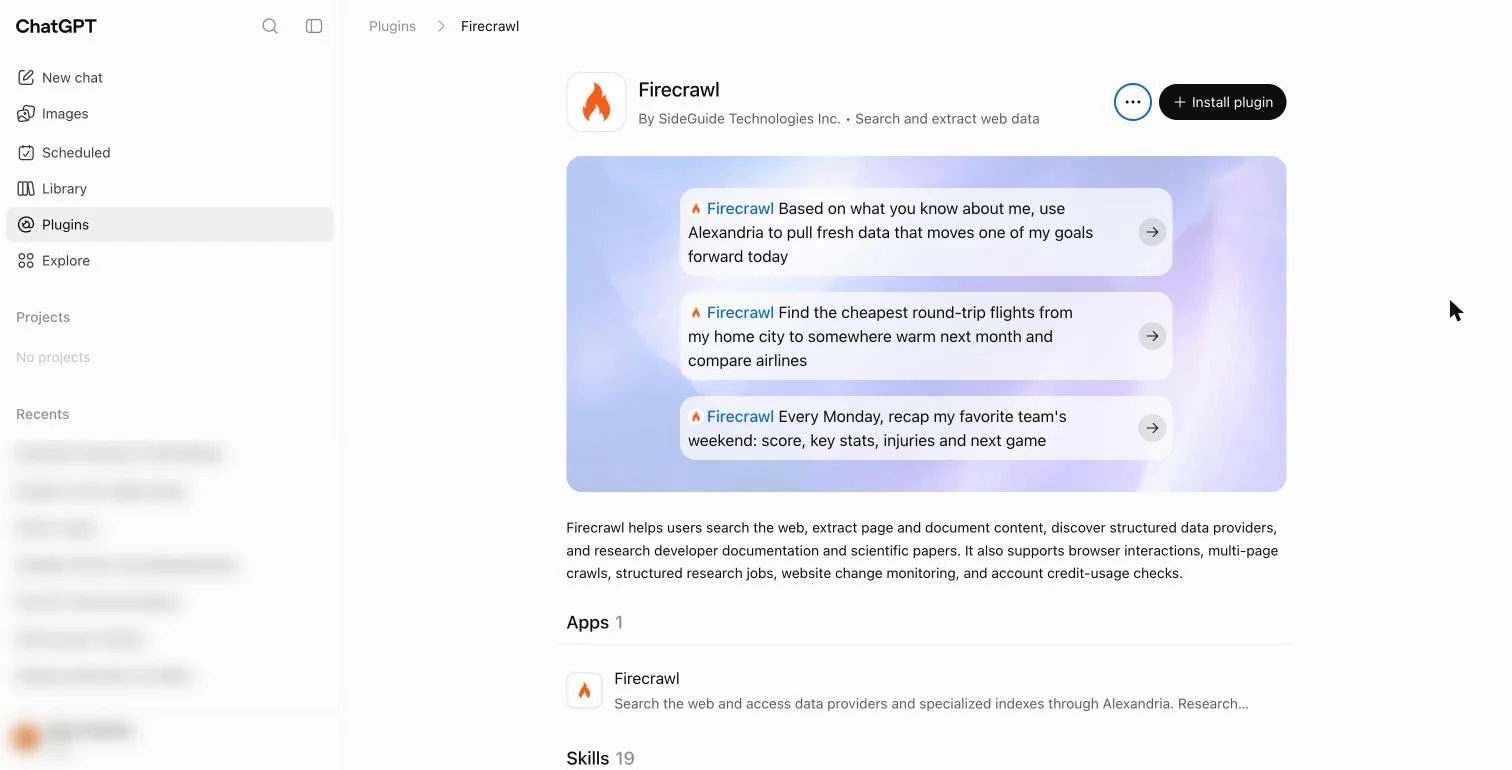
Connect your Firecrawl account
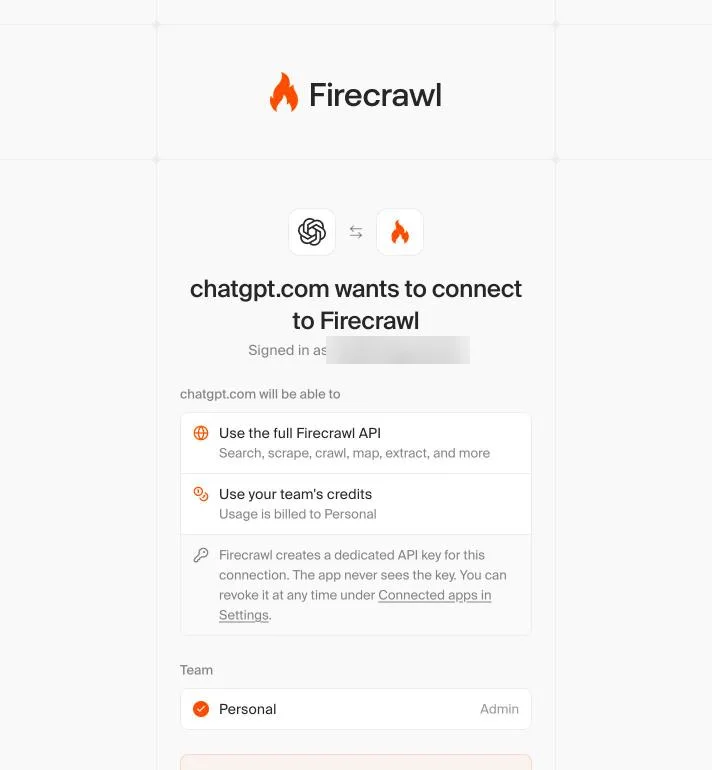
ChatGPT opens Firecrawl in your browser. Sign in, choose a team with Alexandria enabled, and approve access. No account yet? You can create one for free in the same flow.
Attach Firecrawl to a chat
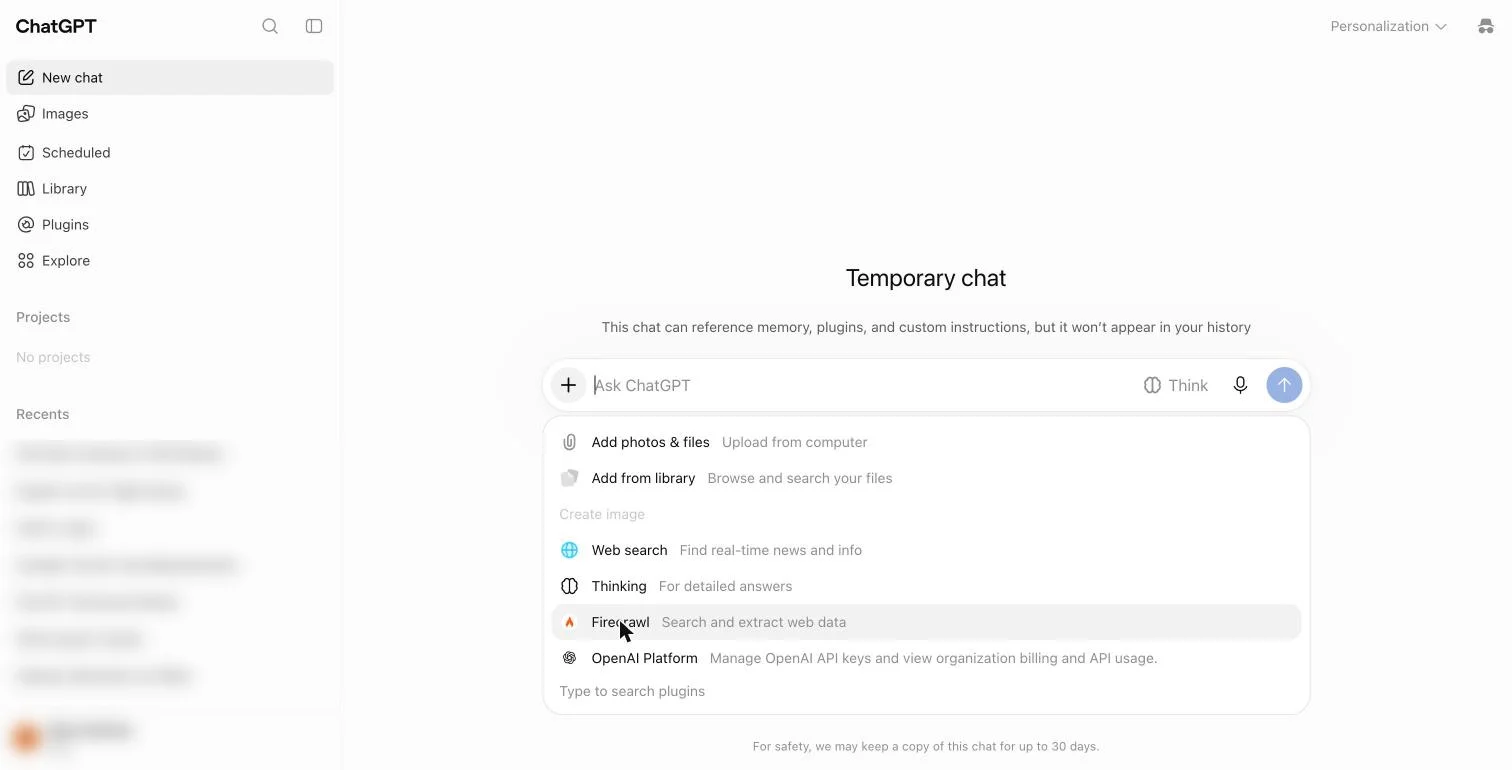
Start a new chat so it loads the plugin, open the + menu and choose Firecrawl. You can also ask ChatGPT to use Firecrawl by name.
Ask ChatGPT for the data
Ask in plain language and mention WRCC RAWS USA Climate Archive or Firecrawl Alexandria. ChatGPT finds the WRCC RAWS USA Climate Archive capability that fits and runs it. For example:
Use Firecrawl to list the Montana RAWS stations with NWS ids
What can ChatGPT do with WRCC RAWS USA Climate Archive?
Western Regional Climate Center RAWS USA Climate Archive (raws.dri.edu): any state's RAWS station catalog from the static regional list pages, station metadata (DMS coordinates, elevation, NESS and NWS ids, agency), daily rows from the monthly summary CGI (solar, wind, gusts, air and fuel temperature, humidity, dew point, wet bulb, pressure, precipitation; one station x month per call) and wind frequency (wind rose) tables with hourly wind statistics. Public Perl CGI pages, no key, no cookies; hourly listings and the Data Lister are gated by WRCC and not collected.
ChatGPT can run any of WRCC RAWS USA Climate Archive's 6 capabilities through Alexandria. Each call is billed in Firecrawl credits on your Firecrawl team.
- Catalog audit: Coverage check of the whole archive: read the archive map (wraws/usaarch.map) and every regional list page it links (43 pages, six at a time) and report whether the per-state page sets `source_status` and `stations` read still reach every station. `drift` names the stations a state's set misses (they sit only on other pages), stations that resolve to no state, and table pages gone from the map, with recomputed page sets to use instead. Costs 5 Firecrawl credits per call.
- Daily: records/list of daily summary rows, one station x month per call (the segment key): GET wea_monsum2.pl and parse its three header lines (the column set varies with the station's sensors: solar, wind average / vector direction / max gust, air and fuel temperature mean/max/min, humidity mean/max/min, dew point, wet bulb, barometric pressure, total precipitation) and one row per day; the Total/Ave./Max./Min. footer is dropped. Blank cells and -9999 sentinels are null. `source_record_id` is `<stn>:<yyyy-mm-dd>`; `publication_id` is the SHA-256 of the parsed rows. A month the archive has no data for returns zero records with the station's inventory of years; an unknown station is not_found. Metric (`M`) by default, English (`E`) on request; months from 2000-01 to the current month. Costs 5 Firecrawl credits per call.
- Source status: Cheap version check of one state's station catalog: GET the regional list pages that carry its stations (Montana: nidwmtlst.html, emtlst.html; at most three pages for any state) and report their Last-Modified, ETag, size, SHA-256 and the unique station count for the state. The CGI data pages carry no validators; their records are hashed per call instead. Costs 5 Firecrawl credits per call.
- Station: records/get for one station by its four-character RAWS code: the wea_info.pl page with name, DMS latitude/longitude (also as decimal degrees, west negative), elevation in feet, NESS id, NWS id, agency and the dates of the station photo sets. An unknown code renders an empty record and is reported as not_found. Costs 5 Firecrawl credits per call.
- Stations: records/list of one state's RAWS station catalog: parse the regional list pages that carry it, keep the stations whose label names the state (or, for labels with no state, a key prefix only that state uses; Montana: 171 unique stations as of 2026-01-24, including portables and retired stations), sort by code and page through them. The cursor pins the list pages' Last-Modified publication id; if either page changed between pages the call fails with invalid_input/publication_changed and the listing must restart. Costs 5 Firecrawl credits per call.
- Wind rose: Wind frequency table for a station over a date window of at most 10 years (POST wea_windrose2.pl, the public form): 16 compass points x Beaufort speed bins as percent (`P`) or counts (`C`), the Total, Calm and Ave Speed rows, the day and observation counts, and (default on) the 24-hour statistics table (scalar/vector speed, resultant direction, directional constancy, observation counts). Element MWS (mean wind speed, default) or MXW (maximum gust); units M (m/s), E (mph) or K (knots); an optional seasonal sub-window (`window_start`/`window_end` as MM-DD) and hour window. One upstream request per call; multi-year windows take 10-25 s server side. Costs 5 Firecrawl credits per call.
What should I ask ChatGPT?
Name WRCC RAWS USA Climate Archive or Firecrawl Alexandria in the prompt so ChatGPT reaches for it. Each example opens in ChatGPT with the prompt filled in.
- Use Firecrawl to list the Montana RAWS stations with NWS ids
- Use Firecrawl to help with this: Daily weather rows for Nine Mile (MNIN) in July 2024
- Use Firecrawl to help with this: Wind direction and speed frequency for Nine Mile, June to September 2015-2024
- Use Firecrawl to run WRCC RAWS USA Climate Archive's Catalog audit capability. Inspect the Alexandria inputs, ask for any missing required details, and return a small sample with sources.
Troubleshooting
Why doesn't ChatGPT use WRCC RAWS USA Climate Archive?
Start a new chat after installing so ChatGPT loads the plugin, then attach Firecrawl from the + menu and name WRCC RAWS USA Climate Archive or Firecrawl Alexandria in the prompt.
How do I switch the Firecrawl team ChatGPT uses?
Open the Firecrawl plugin page in ChatGPT, uninstall it from the menu next to Settings, then install it again and choose the other team on Firecrawl's consent screen.
Why does ChatGPT say WRCC RAWS USA Climate Archive isn't available?
Alexandria needs a Firecrawl team with Alexandria enabled. Reinstall the plugin and pick that team when you approve access.
Use WRCC RAWS USA Climate Archive in other AI apps
The same Firecrawl account reaches WRCC RAWS USA Climate Archive from other AI apps. Pick one for its setup steps:
- WRCC RAWS USA Climate Archive in Claude
- WRCC RAWS USA Climate Archive in Cursor
- WRCC RAWS USA Climate Archive in Grok Bot
 WRCC RAWS USA Climate Archive in Muse
Other data providers you can connect to ChatGPT
Frequently Asked Questions
What is Firecrawl?
Firecrawl is the web data API to search, scrape and interact with the web at scale. It turns websites into clean, LLM-ready data for AI agents and apps. The Firecrawl plugin brings those tools into ChatGPT, along with every data provider in Firecrawl Alexandria.
What is Firecrawl Alexandria?
Firecrawl Alexandria is Firecrawl's library of 550+ data providers for AI agents, WRCC RAWS USA Climate Archive among them. Each provider returns structured data through documented capabilities. ChatGPT finds the capability that fits your question and calls it through the Firecrawl plugin, so you don't write any integration code. Alexandria needs a Firecrawl account signed in on a team with Alexandria enabled, or an API key from such a team; keyless connections don't include it.
Is there a WRCC RAWS USA Climate Archive MCP server for ChatGPT?
ChatGPT reaches WRCC RAWS USA Climate Archive through Firecrawl's hosted MCP server, which serves WRCC RAWS USA Climate Archive and every other Alexandria provider as tools. Add the Firecrawl plugin once and you don't install or host a separate MCP server for WRCC RAWS USA Climate Archive.
What does connecting WRCC RAWS USA Climate Archive to ChatGPT unlock?
ChatGPT can run all 6 of WRCC RAWS USA Climate Archive's capabilities, including Catalog audit, Daily and Source status, from any chat, with structured results it can sort, compare and summarize. For example, ask: "Use Firecrawl to list the Montana RAWS stations with NWS ids" In the same conversation, ChatGPT can combine WRCC RAWS USA Climate Archive with Firecrawl's web search and scraping and the other providers in Firecrawl Alexandria.
Do I need my own WRCC RAWS USA Climate Archive account or API key to use it in ChatGPT?
No. ChatGPT calls WRCC RAWS USA Climate Archive through Firecrawl Alexandria and each call is billed in Firecrawl credits, so you don't need a separate WRCC RAWS USA Climate Archive account or API key.
How much does it cost to use WRCC RAWS USA Climate Archive in ChatGPT?
Each WRCC RAWS USA Climate Archive call costs 5 Firecrawl credits. The capability list on this page shows each price and its unit. The credits come from the Firecrawl team you connect to ChatGPT, and finding the right capability is free.
Can ChatGPT use other providers besides WRCC RAWS USA Climate Archive?
Yes. The same Firecrawl plugin reaches every provider in Firecrawl Alexandria, along with Firecrawl's web search and scraping, so you connect once.
Can I use WRCC RAWS USA Climate Archive in other AI apps?
Yes. Connect Firecrawl to Claude, Cursor, Grok Bot, Muse signed in on a Firecrawl team with Alexandria enabled, or use the Firecrawl MCP server, CLI or API with an API key from that team, and the same WRCC RAWS USA Climate Archive capabilities are available there. Keyless connections don't include Alexandria.