How to connect Toronto Pearson Airport wait times to ChatGPT
Add the Firecrawl plugin to ChatGPT once and it can call the Toronto Pearson Airport wait times API and every other provider in Firecrawl Alexandria, with no Toronto Pearson Airport wait times integration code.
To connect Toronto Pearson Airport wait times to ChatGPT, add the Firecrawl plugin to ChatGPT, sign in on a Firecrawl team with Alexandria enabled, and ask for Toronto Pearson Airport wait times data in plain language. The connection works in ChatGPT and Codex, and you set it up once.
ChatGPT uses Toronto Pearson Airport wait times as an MCP tool through Firecrawl's hosted MCP server, so you don't install or host a separate MCP server for Toronto Pearson Airport wait times.
ChatGPT is OpenAI's AI assistant. Plugins add tools from other services, and the Firecrawl plugin adds web search, scraping and every data provider in Firecrawl Alexandria.
How do I connect Toronto Pearson Airport wait times to ChatGPT?
Install the Firecrawl plugin
Open the Firecrawl listing in ChatGPT's plugin directory and select Install plugin. You can also open Plugins in ChatGPT or Codex and search for Firecrawl.
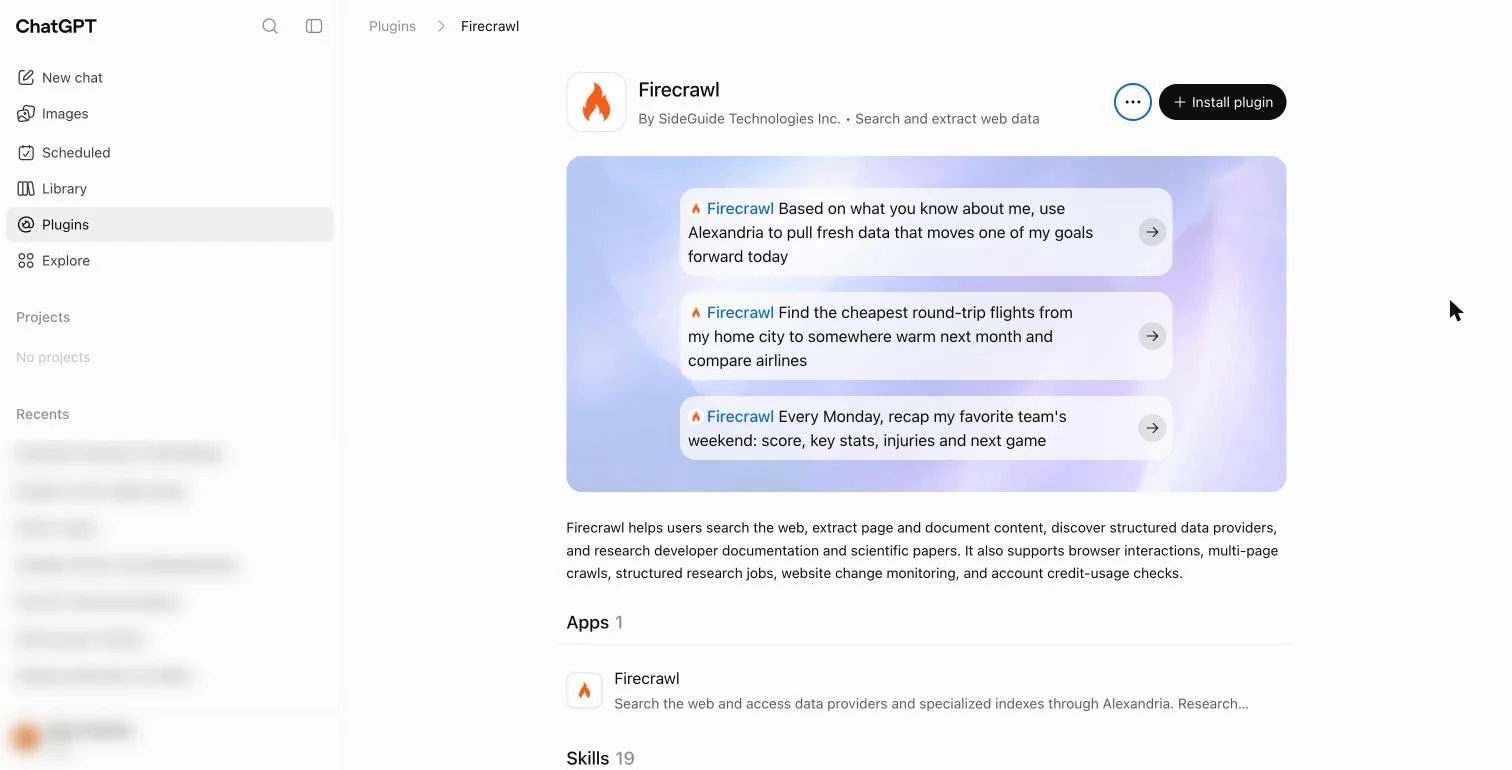
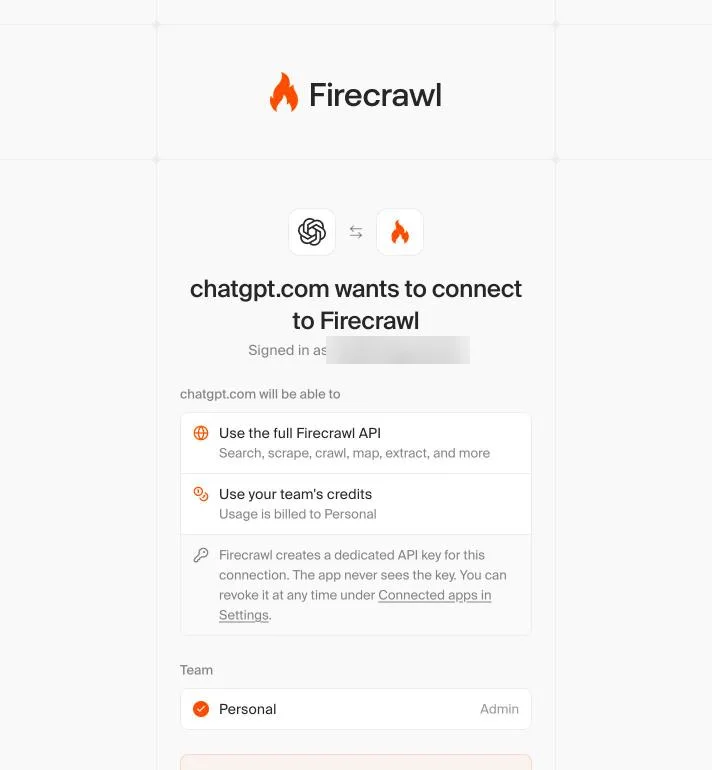
Connect your Firecrawl account
ChatGPT opens Firecrawl in your browser. Sign in, choose a team with Alexandria enabled, and approve access. No account yet? You can create one for free in the same flow.
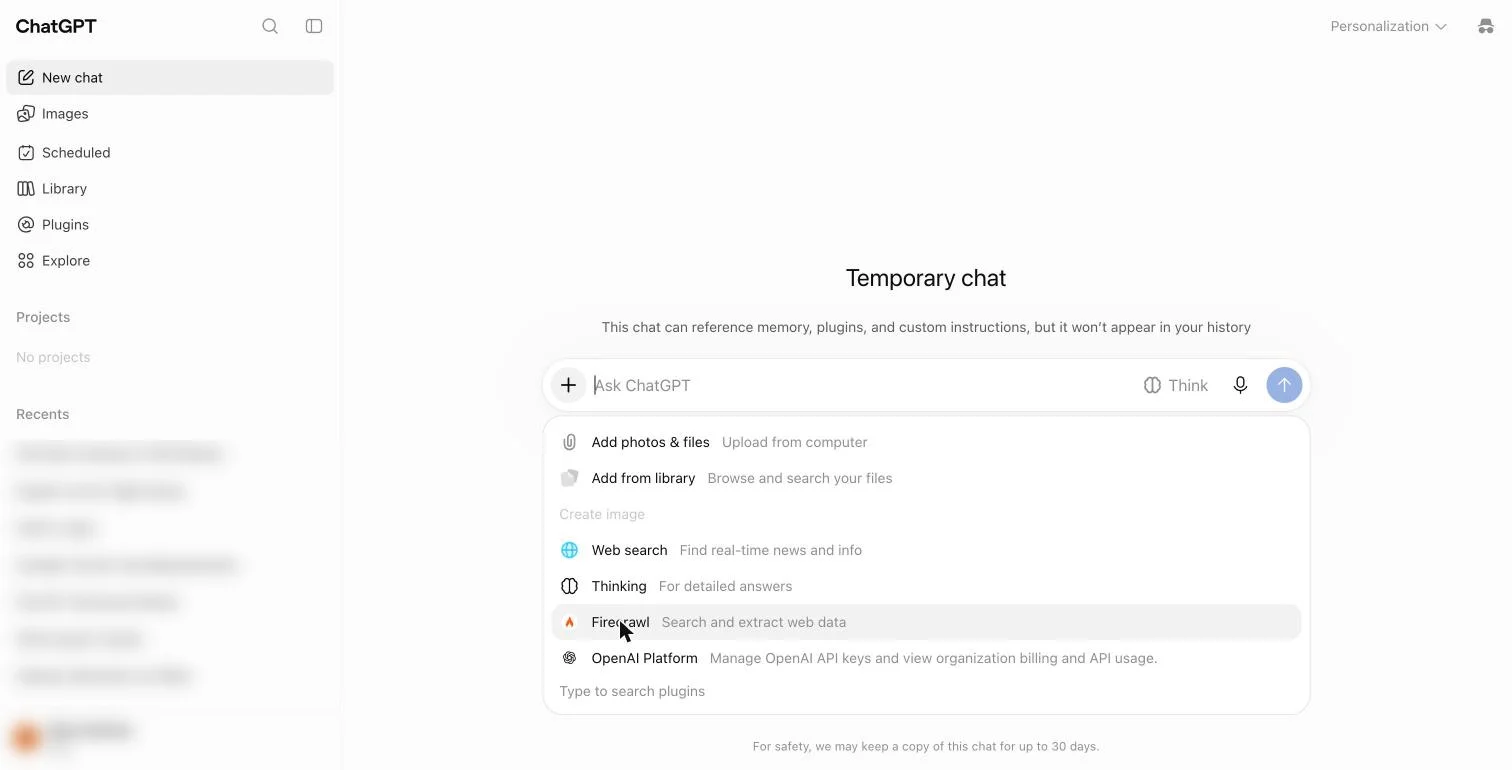
Attach Firecrawl to a chat
Start a new chat so it loads the plugin, open the + menu and choose Firecrawl. You can also ask ChatGPT to use Firecrawl by name.
Ask ChatGPT for the data
Ask in plain language and mention Toronto Pearson Airport wait times or Firecrawl Alexandria. ChatGPT finds the Toronto Pearson Airport wait times capability that fits and runs it. For example:
Use Firecrawl to answer this: How long is the security line at Toronto Pearson Terminal 3 right now?
What can ChatGPT do with Toronto Pearson Airport wait times?
Live wait times at Toronto Pearson International Airport (YYZ) from the airport's own wait-time dashboard: CATSA security screening per terminal (T1, T3) and line (Canada, International, United States), US Customs and Border Protection preclearance, Canadian (CBSA) arrivals customs lines, and airline check-in counters, each with its wait in minutes and the airport's last-updated time.
ChatGPT can run any of Toronto Pearson Airport wait times's 2 capabilities through Alexandria. Each call is billed in Firecrawl credits on your Firecrawl team.
- Checkpoint: One Toronto Pearson (YYZ) checkpoint's current wait in minutes and the airport's last-updated time, by id from wait_times (e.g. security-16 for T3 International security, us-customs-t1, checkin-ac-domestic) or by line with optional terminal and type (e.g. terminal T1, type security, line International). Costs 5 Firecrawl credits per call.
- Wait times: Current wait times at Toronto Pearson (YYZ): CATSA security per terminal and line (Canada, International, United States; the US figure combines security and US preclearance), US Customs and Border Protection preclearance per terminal, Canadian CBSA arrivals customs lines, and airline check-in counters, each with wait in minutes and the airport's last-updated time. Closed checkpoints are left out unless include_closed is true. Costs 5 Firecrawl credits per call.
What should I ask ChatGPT?
Name Toronto Pearson Airport wait times or Firecrawl Alexandria in the prompt so ChatGPT reaches for it. Each example opens in ChatGPT with the prompt filled in.
- Use Firecrawl to answer this: How long is the security line at Toronto Pearson Terminal 3 right now?
- Use Firecrawl to answer this: What's the US preclearance wait at YYZ Terminal 1?
- Use Firecrawl to answer this: Is the international security checkpoint at Pearson T1 busy?
- Use Firecrawl to answer this: How long is the Air Canada check-in line at Toronto Pearson?
Troubleshooting
Why doesn't ChatGPT use Toronto Pearson Airport wait times?
Start a new chat after installing so ChatGPT loads the plugin, then attach Firecrawl from the + menu and name Toronto Pearson Airport wait times or Firecrawl Alexandria in the prompt.
How do I switch the Firecrawl team ChatGPT uses?
Open the Firecrawl plugin page in ChatGPT, uninstall it from the menu next to Settings, then install it again and choose the other team on Firecrawl's consent screen.
Why does ChatGPT say Toronto Pearson Airport wait times isn't available?
Alexandria needs a Firecrawl team with Alexandria enabled. Reinstall the plugin and pick that team when you approve access.
Use Toronto Pearson Airport wait times in other AI apps
The same Firecrawl account reaches Toronto Pearson Airport wait times from other AI apps. Pick one for its setup steps:
- Toronto Pearson Airport wait times in Claude
- Toronto Pearson Airport wait times in Cursor
- Toronto Pearson Airport wait times in Grok Bot
 Toronto Pearson Airport wait times in Muse
Other data providers you can connect to ChatGPT
Frequently Asked Questions
What is Firecrawl?
Firecrawl is the web data API to search, scrape and interact with the web at scale. It turns websites into clean, LLM-ready data for AI agents and apps. The Firecrawl plugin brings those tools into ChatGPT, along with every data provider in Firecrawl Alexandria.
What is Firecrawl Alexandria?
Firecrawl Alexandria is Firecrawl's library of 550+ data providers for AI agents, Toronto Pearson Airport wait times among them. Each provider returns structured data through documented capabilities. ChatGPT finds the capability that fits your question and calls it through the Firecrawl plugin, so you don't write any integration code. Alexandria needs a Firecrawl account signed in on a team with Alexandria enabled, or an API key from such a team; keyless connections don't include it.
Is there a Toronto Pearson Airport wait times MCP server for ChatGPT?
ChatGPT reaches Toronto Pearson Airport wait times through Firecrawl's hosted MCP server, which serves Toronto Pearson Airport wait times and every other Alexandria provider as tools. Add the Firecrawl plugin once and you don't install or host a separate MCP server for Toronto Pearson Airport wait times.
What does connecting Toronto Pearson Airport wait times to ChatGPT unlock?
ChatGPT can run Toronto Pearson Airport wait times's Checkpoint and Wait times, from any chat, with structured results it can sort, compare and summarize. For example, ask: "Use Firecrawl to answer this: How long is the security line at Toronto Pearson Terminal 3 right now?" In the same conversation, ChatGPT can combine Toronto Pearson Airport wait times with Firecrawl's web search and scraping and the other providers in Firecrawl Alexandria.
Do I need my own Toronto Pearson Airport wait times account or API key to use it in ChatGPT?
No. ChatGPT calls Toronto Pearson Airport wait times through Firecrawl Alexandria and each call is billed in Firecrawl credits, so you don't need a separate Toronto Pearson Airport wait times account or API key.
How much does it cost to use Toronto Pearson Airport wait times in ChatGPT?
Each Toronto Pearson Airport wait times call costs 5 Firecrawl credits. The capability list on this page shows each price and its unit. The credits come from the Firecrawl team you connect to ChatGPT, and finding the right capability is free.
Can ChatGPT use other providers besides Toronto Pearson Airport wait times?
Yes. The same Firecrawl plugin reaches every provider in Firecrawl Alexandria, along with Firecrawl's web search and scraping, so you connect once.
Can I use Toronto Pearson Airport wait times in other AI apps?
Yes. Connect Firecrawl to Claude, Cursor, Grok Bot, Muse signed in on a Firecrawl team with Alexandria enabled, or use the Firecrawl MCP server, CLI or API with an API key from that team, and the same Toronto Pearson Airport wait times capabilities are available there. Keyless connections don't include Alexandria.