How to connect Turo to Claude
Add the Firecrawl connector to Claude once and it can call the Turo API and every other provider in Firecrawl Alexandria, with no Turo integration code.
To connect Turo to Claude, add the Firecrawl connector to Claude, sign in on a Firecrawl team with Alexandria enabled, and ask for Turo data in plain language. The connection works in Claude on the web, Claude Desktop and Cowork, and you set it up once.
Claude uses Turo as an MCP tool through Firecrawl's hosted MCP server, so you don't install or host a separate MCP server for Turo.
Claude is Anthropic's AI assistant. Connectors give it tools from other services, and the Firecrawl connector adds web search, scraping and every data provider in Firecrawl Alexandria.
How do I connect Turo to Claude?
Add the Firecrawl connector
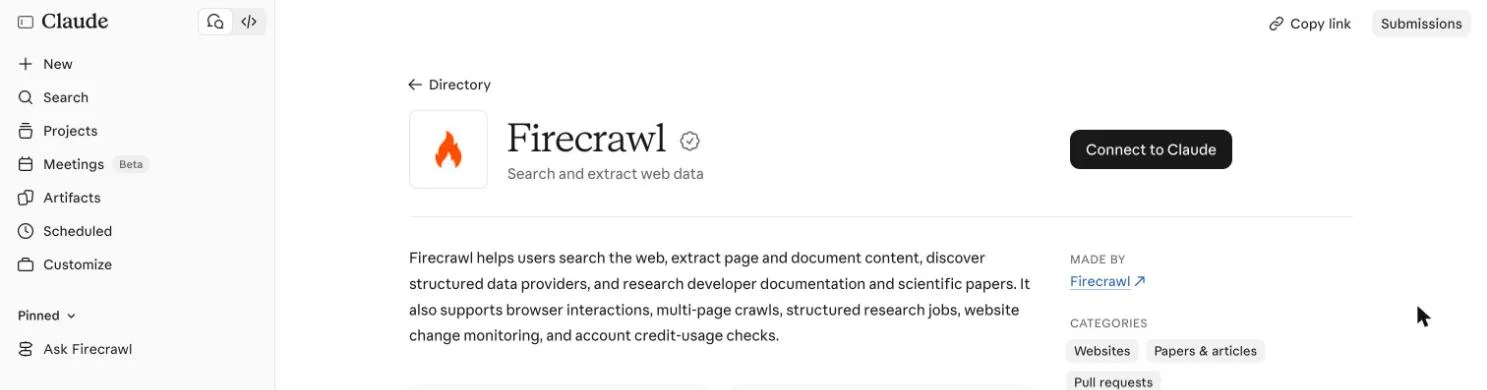
Open the Firecrawl connector in Claude's connector directory and select Connect to Claude. In Claude Desktop you can also go to Customize, then Connectors, and search for Firecrawl.
Connect your Firecrawl account
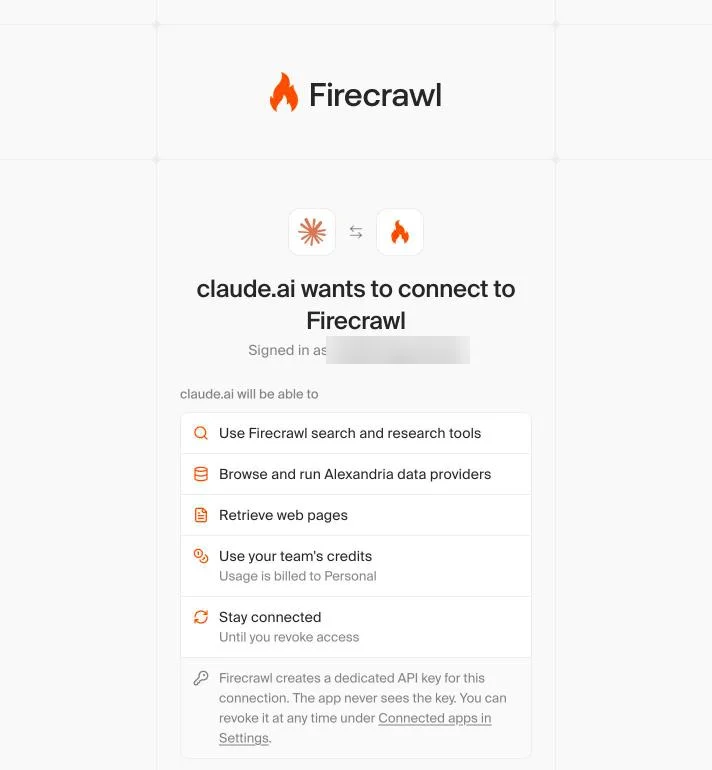
Claude opens Firecrawl in your browser. Sign in, choose a team with Alexandria enabled, and approve access. No account yet? You can create one for free in the same flow.
Turn on Firecrawl in a chat
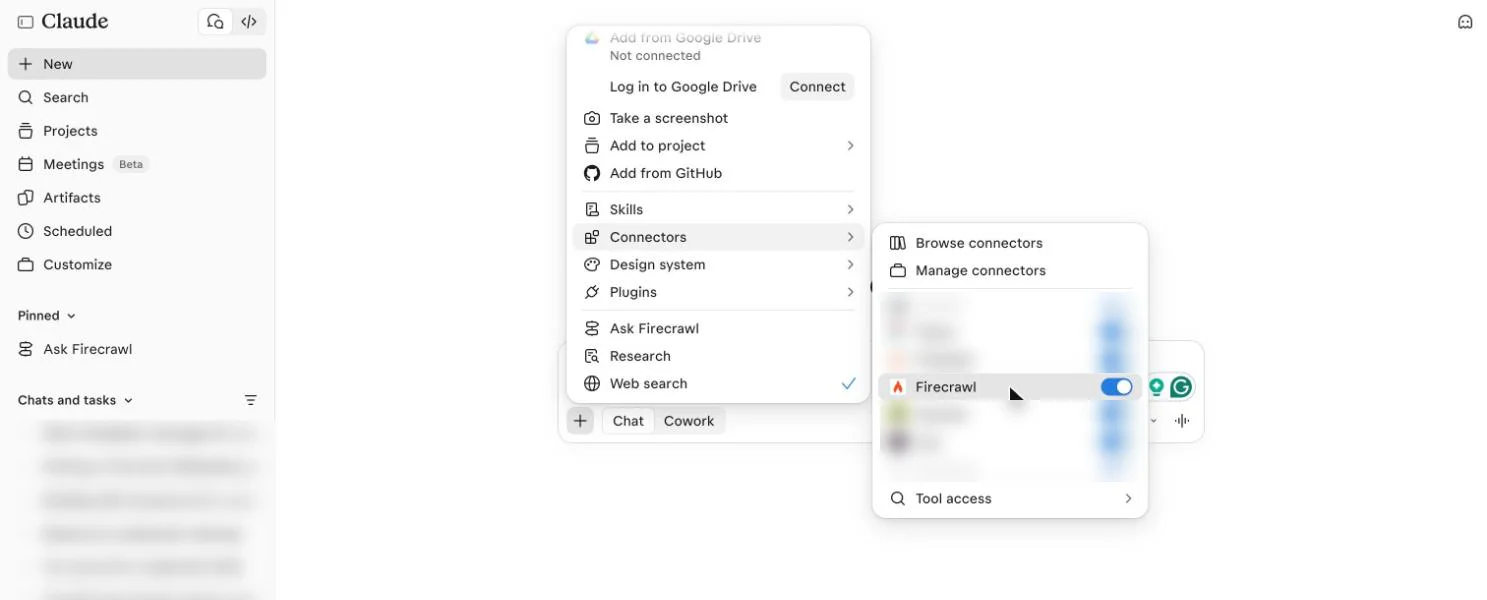
In a new conversation, open the + menu, go to Connectors and switch on Firecrawl.
Ask Claude for the data
Ask in plain language and mention Turo or Firecrawl Alexandria. Claude finds the Turo capability that fits, checks its inputs and runs it. For example:
Use Firecrawl to find up to 10 Turo SUVs near downtown Seattle at latitude 47.6062, longitude -122.3321, using the default three-day trip and a 30-year-old driver.
What can Claude do with Turo?
Search public US Turo rental vehicles, read vehicle details and request anonymous dated price estimates. Search is a bounded source window, not exhaustive inventory. No account, booking or checkout actions.
Claude can run any of Turo's 3 capabilities through Alexandria. Each call is billed in Firecrawl credits on your Firecrawl team.
- Filters: Read Turo's public US vehicle-type, sort and fuel labels. vehicle_types and sort_options supply values accepted by search. Fuel labels are descriptive; this version does not expose a fuel filter. Costs 5 Firecrawl credits per call.
- Search: Search US Turo rentals around coordinates with optional make, vehicle type and sort. Dates use pickup-local time; omitted dates default to a three-day trip starting 21 days ahead at 10:00. Returns up to 50 vehicles from Turo's bounded source window (observed cap: 200), explicit truncation and no invented pagination cursor. Dated anonymous estimates come from the separate public pricing endpoint, with currency, source tax notice and included/excluded line items. quote=null means Turo supplied no estimate for that vehicle. Indicative daily prices are separate and must not be multiplied into trip totals. Estimates are not final booking prices. Costs 5 Firecrawl credits per call.
- Vehicle: Read one public US Turo vehicle URL: identity, listing status, location, specifications, rating and indicative daily price. Optional paired start/end times request a separate dated home-pickup estimate for driver_age (default 30); without dates, include_quote=true uses a three-day trip starting 21 days ahead at 10:00 pickup-local time; otherwise quote and pricing_query are null. A null quote with dates means the source supplied no estimate. Taxes, protection and other costs may be excluded; inspect the source tax notice and line items. No final checkout price or availability guarantee. Costs 5 Firecrawl credits per call.
What should I ask Claude?
Name Turo or Firecrawl Alexandria in the prompt so Claude reaches for it. Each example opens in Claude with the prompt filled in.
- Use Firecrawl to find up to 10 Turo SUVs near downtown Seattle at latitude 47.6062, longitude -122.3321, using the default three-day trip and a 30-year-old driver.
- Use Firecrawl to find up to five Toyota rentals on Turo near San Francisco at latitude 37.7749, longitude -122.4194, ordered by lowest price for the default trip.
- Use Firecrawl to find the first Turo SUV near downtown Seattle at latitude 47.6062, longitude -122.3321 and read its specifications, rating, listing status and description.
- Use Firecrawl to find the first Turo rental near San Francisco at latitude 37.7749, longitude -122.4194 and request its anonymous home-pickup quote for the default three-day trip for a 30-year-old driver.
Troubleshooting
Why doesn't Claude use Turo?
The connector has to be on in each conversation. Open the + menu, go to Connectors and check that Firecrawl is switched on, then ask again and name Turo or Firecrawl Alexandria in the prompt.
Claude says it can't reach the Firecrawl server. What should I do?
Open Customize, then Connectors, disconnect Firecrawl and connect it again. On a Team or Enterprise plan, an owner has to allow the connector before members can add it.
Why does Claude say Turo isn't available?
Alexandria needs a Firecrawl team with Alexandria enabled. Reconnect Firecrawl and pick that team on the consent screen.
Use Turo in other AI apps
The same Firecrawl account reaches Turo from other AI apps. Pick one for its setup steps:

Other data providers you can connect to Claude
Frequently Asked Questions
What is Firecrawl?
Firecrawl is the web data API to search, scrape and interact with the web at scale. It turns websites into clean, LLM-ready data for AI agents and apps. The Firecrawl connector brings those tools into Claude, along with every data provider in Firecrawl Alexandria.
What is Firecrawl Alexandria?
Firecrawl Alexandria is Firecrawl's library of 550+ data providers for AI agents, Turo among them. Each provider returns structured data through documented capabilities. Claude finds the capability that fits your question and calls it through the Firecrawl connector, so you don't write any integration code. Alexandria needs a Firecrawl account signed in on a team with Alexandria enabled, or an API key from such a team; keyless connections don't include it.
Is there a Turo MCP server for Claude?
Claude reaches Turo through Firecrawl's hosted MCP server, which serves Turo and every other Alexandria provider as tools. Add the Firecrawl connector once and you don't install or host a separate MCP server for Turo.
What does connecting Turo to Claude unlock?
Claude can run Turo's Filters, Search and Vehicle, from any chat, with structured results it can sort, compare and summarize. For example, ask: "Use Firecrawl to find up to 10 Turo SUVs near downtown Seattle at latitude 47.6062, longitude -122.3321, using the default three-day trip and a 30-year-old driver." In the same conversation, Claude can combine Turo with Firecrawl's web search and scraping and the other providers in Firecrawl Alexandria.
Do I need my own Turo account or API key to use it in Claude?
No. Claude calls Turo through Firecrawl Alexandria and each call is billed in Firecrawl credits, so you don't need a separate Turo account or API key.
How much does it cost to use Turo in Claude?
Each Turo call costs 5 Firecrawl credits. The capability list on this page shows each price and its unit. The credits come from the Firecrawl team you connect to Claude, and finding the right capability is free.
Can Claude use other providers besides Turo?
Yes. The same Firecrawl connector reaches every provider in Firecrawl Alexandria, along with Firecrawl's web search and scraping, so you connect once.
Can I use Turo in other AI apps?
Yes. Connect Firecrawl to ChatGPT, Cursor, Grok Bot, Muse signed in on a Firecrawl team with Alexandria enabled, or use the Firecrawl MCP server, CLI or API with an API key from that team, and the same Turo capabilities are available there. Keyless connections don't include Alexandria.